Are you experiencing these challenges with operational instruction, information sharing, and employee training?

Locations and stores are dispersed nationwide, making it difficult to ensure consistent operational instructions and information sharing.

The execution methods for operational tasks vary by location, leading to inconsistencies in service quality.

High employee turnover makes it difficult to allocate sufficient dedicated training time for each new cohort.
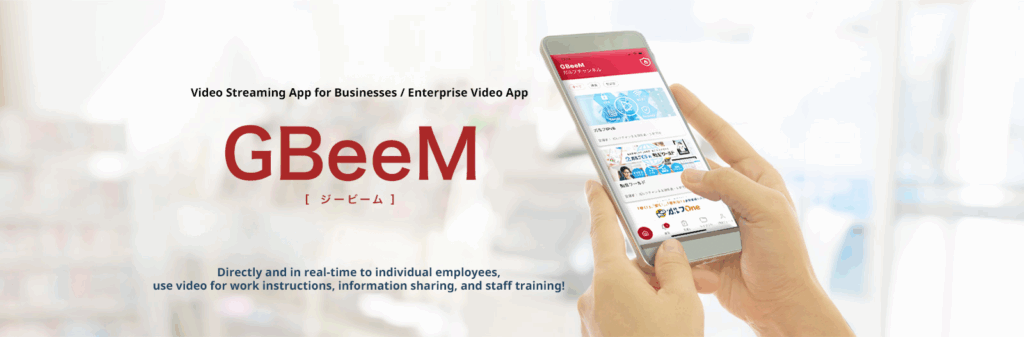
With the GBeeM video education app, you can deliver operational instructions, share information, and conduct employee training to every individual employee—directly, concretely, interactively, and at low cost.
GBeeM: An Enterprise Video Distribution Platform Adapted for the Changing Times
Today’s employees actively use smartphone SNS, photo, and video applications in their personal lives, stimulating communication through “likes” and comments.
GBeeM is a cutting-edge Enterprise Video Distribution Platform that allows you to achieve critical corporate communication—such as internal announcements, instructions, information sharing, and training—using the same familiar usability patterns.
point
01
Video for Operational Instructions, Communication, and Notices
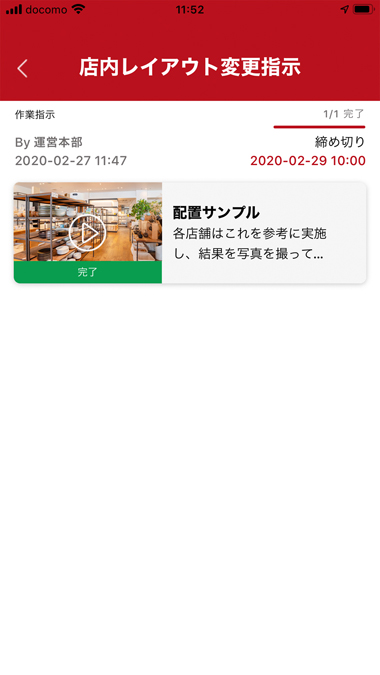
Since instructions are delivered via video, you can convey the specific methodology of operational tasks without misunderstanding. You can transmit the executive’s exact words directly. It is also possible to use flip charts and diagrams for clearer communication. Because it is an app, information can be sent directly and without fail to every individual employee’s smartphone.
point
02
Utilizing Confirmation and Reply Features for Work Orders and Internal Communication
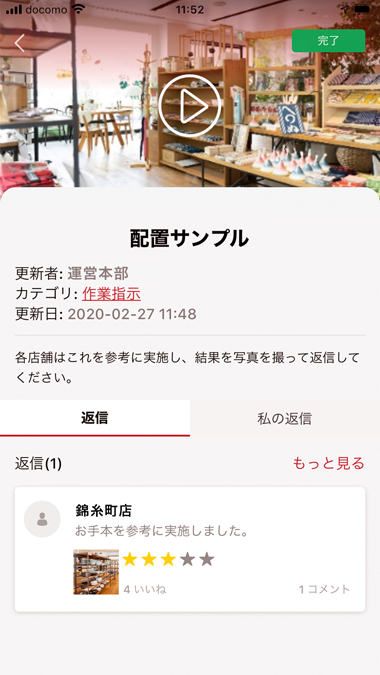
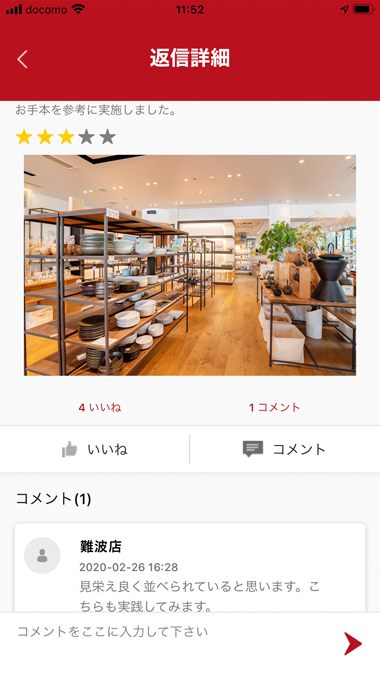
You can set up videos to require confirmation or a reply, allowing the feature to be utilized as a video-based work order system. The reply function supports video attachments, allowing you to check the execution results by having employees report back via video. Reply videos can be shared with employees, enabling them to learn from others’ submissions. Furthermore, features allowing comments and “likes” foster mutual evaluation and communication, helping to revitalize internal collaboration.
point
03
Education and Manuals
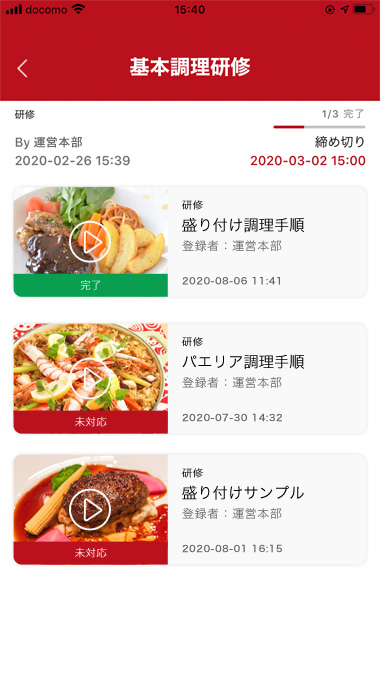
Video makes it easy to communicate complex information, such as product descriptions or cooking procedures, that is difficult to convey using only text or images. As a training curriculum, multiple short videos can be grouped into one menu and systematically scheduled for completion. This allows employees to learn gradually during breaks, ensuring education progresses reliably even in busy work environments. Administrators can monitor the progress of each individual’s training menu, enabling targeted coaching and work assignment adjustments.
point
04
File Distribution in Addition to Video Streaming
Beyond video, you can also distribute files such as images and PDFs, allowing the platform to be used as a simple file-sharing system.
GBeeM Features
Watch Short Videos During Downtime
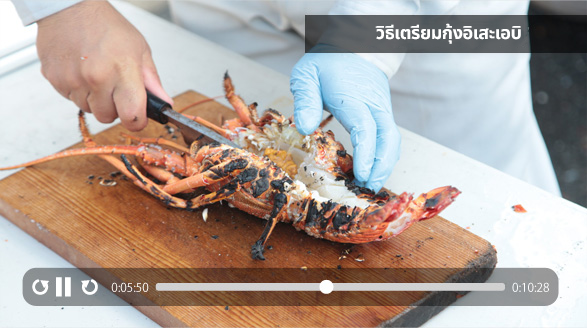
GBeeM allows employees to utilize their downtime by watching short videos (approximately 10 minutes in length) to facilitate operational instructions, confirmation of shared information, and training. Since video playback can be initiated in just three touches from the app launch, users can start watching immediately.

Content
GBeeM allows for the registration of videos, images, PowerPoint, and PDF files, with each file limited to a maximum size of 5GB.

Library
Content can be published in the Library. Access can be restricted to specific groups of employees.

ToDo (Training Courses)
Content registered in the Library can be arranged sequentially and grouped into Training Courses (ToDo). These courses can be assigned for completion by specific groups of employees.

Content Rating
(“Like” / “Dislike”)
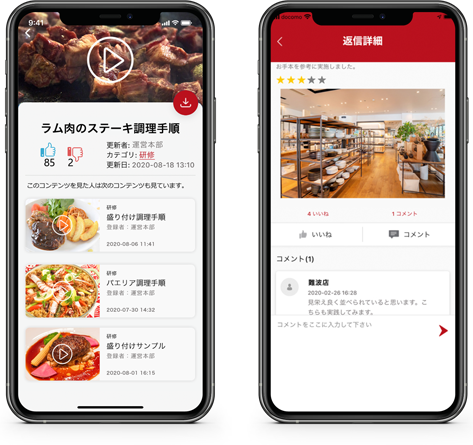
Employees who view the content can rate it by tapping the “Like” or “Dislike” buttons. The content creator can review the viewers’ evaluations to improve the content.

Related Content Suggestions
The system automatically suggests other content viewed by people who watched the current item. This feature helps users advance their learning efficiently by viewing related materials.

Home Screen
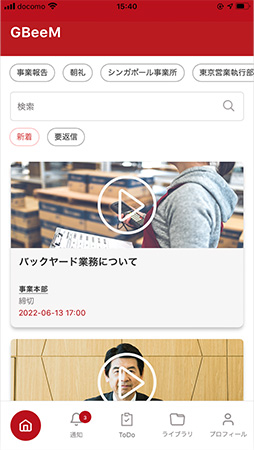
The Home Screen, displayed upon app launch, provides a list view of New Content and Incomplete ToDo (Training Courses).
Executing Operational Instructions and Training Interactively with Colleagues
GBeeM facilitates operational instructions, training, and information sharing through interactive exchanges—not only between the content creator and the viewing employee but also among employees viewing the same content.

ToDo Reply Functionality
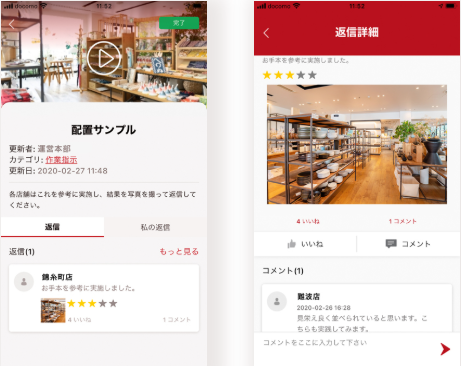
After viewing all content within a ToDo (Training Course), the system can be configured to require a reply that includes attached photos, videos, or files. This allows for a concrete, visual report of the outcomes for training or instructions delivered via video or photo.

Self-Assessment
The completion report for a ToDo can include not only photos and videos but also a five-level self-assessment rating and a brief written comment.

Like Function for Replies
Replies to a ToDo are visible to other employees. They can provide feedback using the “Like” button or a short text message. This functionality aids in mutual information sharing and boosting employee motivation.
Simple and User-Friendly Management Functions
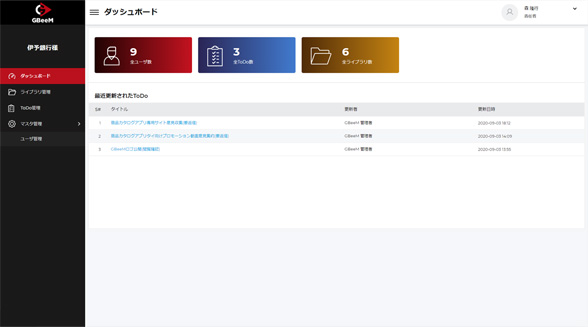
Content that is published to the GBeeM app is managed using the GBeeM administration screen via a web browser. This interface allows for functions such as categorization, sending notifications, and managing the progress of individual ToDo (Training Courses).

System Administrator and Content Manager
Administrative roles are divided into System Administrators (who have access to all management functions) and Content Managers (who manage Library and ToDo content). Multiple Content Managers can be created.

Categories
ToDo (Training Courses) can be sorted and organized using Categories. App users can filter content by category, in addition to using text search.

Content Publication and Notification
When content is registered and published to the Library or ToDo, a notification is sent to the app users.

ToDo Progress Management
You can monitor the status of an entire educational course (ToDo), tracking who is progressing and how far they have advanced.
Tags
Content can be organized using Tags. Users can search for content using tags, in addition to categories and text search.

Incentive Points
You can assign points to be awarded upon content viewing. These points link with our Dōraku Points application, allowing earned points to be exchanged for internal prizes, coupons, Amazon Gifts, T-Points, and other rewards.
GBeeM Browser Version
GBeeM functionality is available not only via the smartphone app but also through web browsers on Windows and macOS, providing the same features as the application.
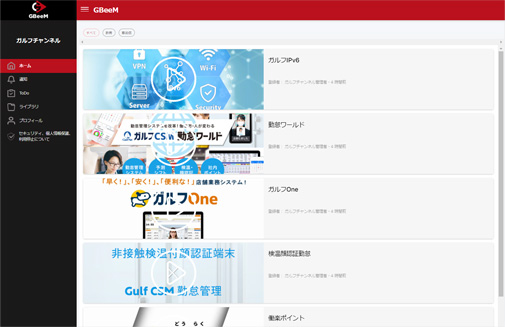
Introducing the GulfNet Channel
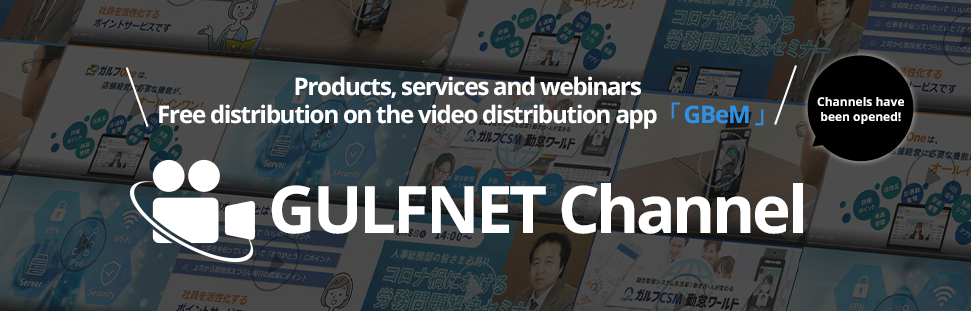
GulfNet operates the “GulfNet Channel,” a free video platform that distributes videos showcasing our hosted seminars and proprietary products and services. We utilize GBeeM as the video distribution platform for the GulfNet Channel. You can freely view content, including seminars by experts on retail industry challenges and information on GulfNet’s products and services.
If you are interested in retail industry challenges, GulfNet’s products and services, or are curious about GBeeM and wish to verify its usability, we encourage you to register as a user for the GulfNet Channel and view our content.